
Free lead tracking · Activate the wedding when ready Work out walking order, reserved rows, and altar positions with the couple before the rehearsal. Then carry the same plan into VIP portals and day-of mode. Now accepting beta users. Not ready for beta? Join the Launch List and get notified when public signup opens.Procession order and reserved seating for officiants
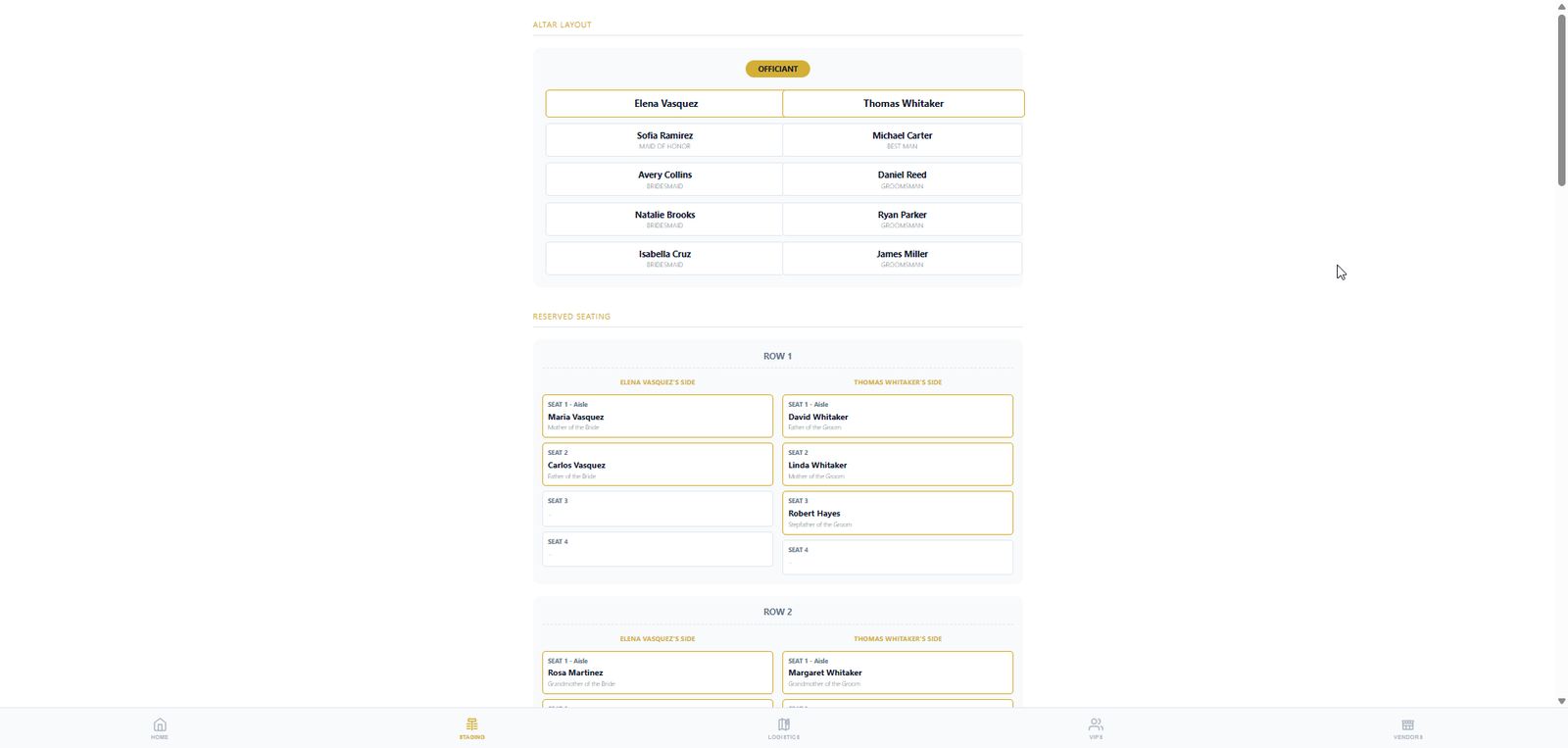
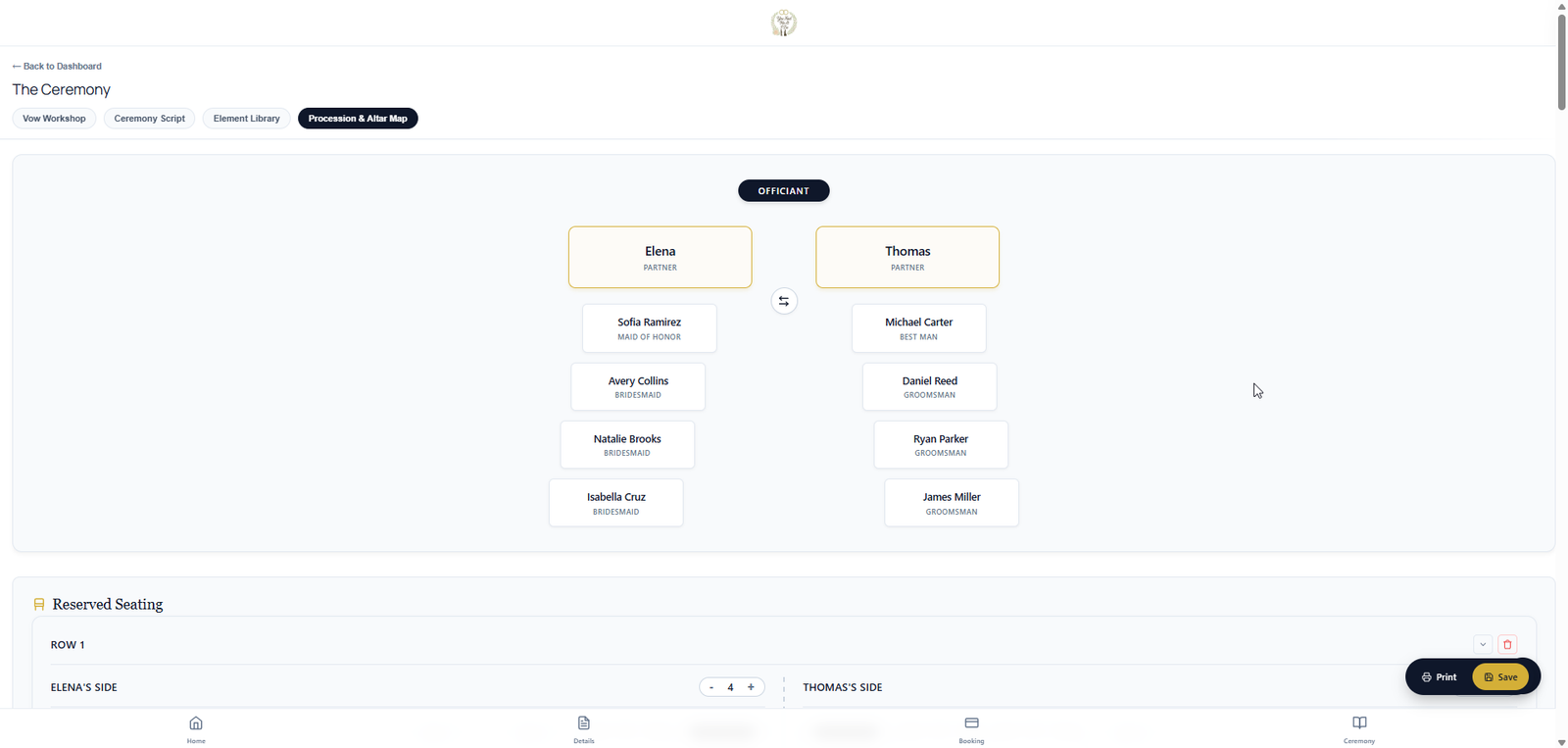
Full wedding workspace · You & the couple Walking order. Seating chart. Altar positions. Stop juggling spreadsheets and text threads. You and the couple plan the ceremony layout in one place — walking order for the procession, who sits where, and where everyone stands at the altar. The couple works in the couple portal on their own time; you refine, approve, and publish to VIPs and day-of mode when you're ready. Couples help gather the VIP and wedding-party details; you keep the final say on what the wedding party and VIPs see. Same plan on your tablet at the altar — procession, seating, and altar tabs in day-of mode.Procession, seating & altar planning — together
Ceremony logistics
The details that usually live in text threads
Procession and seating are where wedding-day confusion starts. One shared plan, controlled by the officiant, visible to the right people when it is ready.
Walking order
Build the processional order row by row, including pairs, roles, family, wedding party, children, and special cases.
Reserved seating
Map VIP seating so family, honored guests, and special instructions are clear before guests arrive.
Altar positions
Plan who stands where so the officiant, couple, attendants, readers, and vendors know the layout.
Publish when ready
Share the final version to VIPs and day-of mode instead of exposing half-finished plans.
VIP portal
Share the plan with the wedding party — when you are ready
Published walking order, reserved seating, and altar positions can flow to the VIP portal via link or QR — without handing over your studio login.
Apply for the Beta to help shape procession, seating, VIP portals, and day-of execution before launch.Stop rehearsing from memory