
Free lead tracking · Activate the wedding when ready A task page: what to open, what to download, and what to leave off the device before you walk to the altar. Now accepting beta users. Not ready for beta? Join the Launch List and get notified when public signup opens.Day-of ceremony script checklist for an officiant using a tablet
This is the checklist every officiant should run in the car — not at the altar. It matches Studio’s Day-of Mode: large type, light or dark, script, VIPs, vendors, procession, seating, and an offline backup.
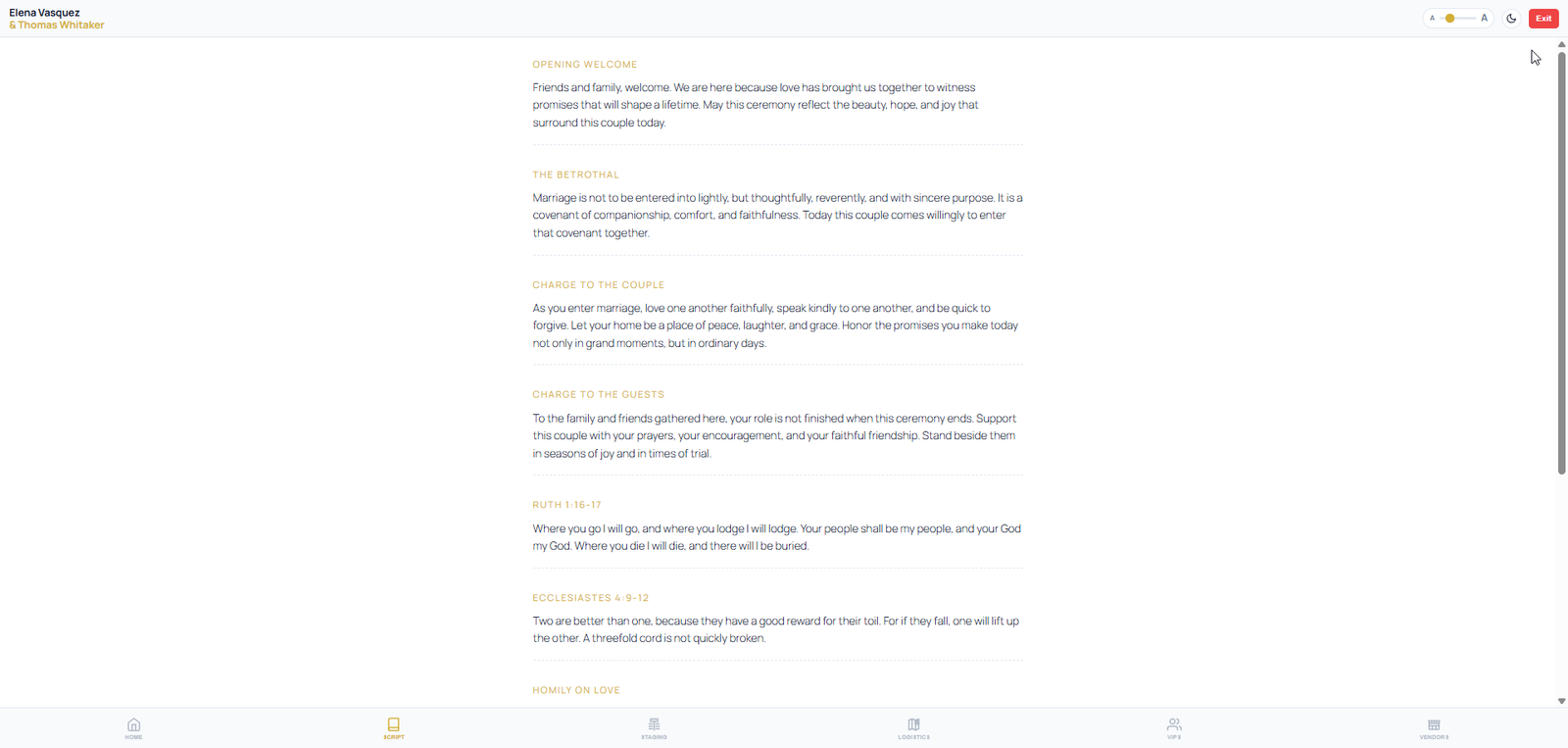
Before you leave Wi-Fi
- Finalize the ceremony script in the wedding. Stop editing.
- Open the wedding → Day-of Mode on the tablet you will carry.
- Download the offline backup while you still have signal.
- Confirm VIP names, pronunciation, and walking order match rehearsal.
- Put a paper copy or second device in the bag anyway.
In the parking lot
- Charge at 80% or higher. Do Not Disturb on.
- Lock rotation. Set brightness by hand — auto-brightness will betray you.
- Open to the first ceremony block. Not the office dashboard.
- Confirm you are in the right wedding record.
What stays off the tablet
Email. Unrelated leads. Contract screens. Social apps. You are holding a room, not closing a deal. Day-of Mode exists so the full studio office never comes to the altar.